X-Series Recovery
A First Line of Defense: Factory Reset
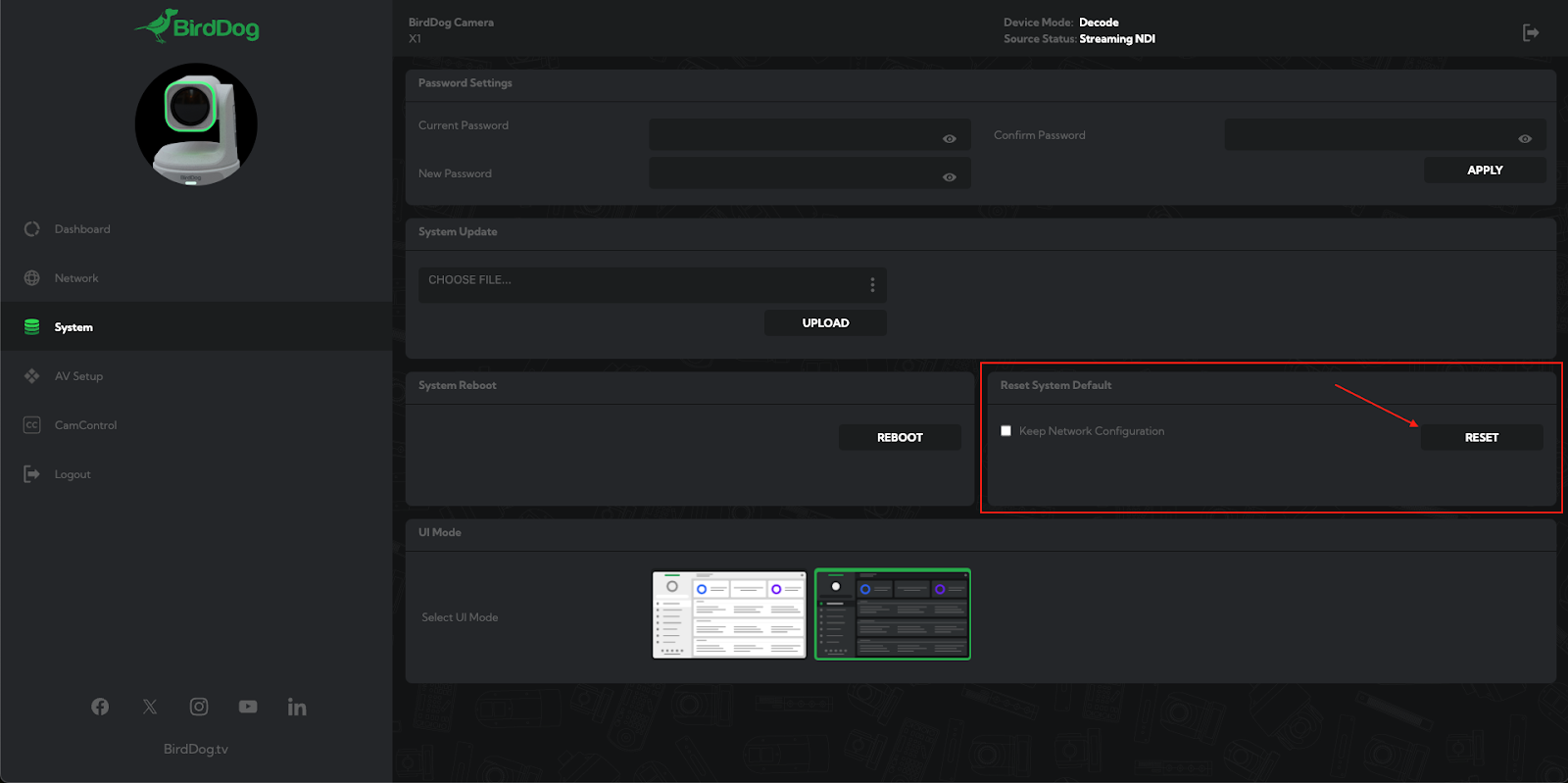
A majority of issues on the X-Series cameras can be addressed through two recovery processes: Reset System Default and OSD Factory Reset.
These are both factory reset processes, designed to be used with or without access to the unit’s WebUI. The following should always be
attempted first before looking into alternative solutions.
Factory Reset Processes
WebUI: Reset System Default
If you have access to the WebUI on your unit, you can select “RESET” in the “Reset System Default” window. This function can be found in the “Dashboard” tab in the bottom right hand corner, as shown below:OSD Factory Reset
If you do not have access to the WebUI, you can perform a factory reset via the unit’s OSD. Using the IR remote, select “MENU” and navigate to “Restore Default” – this will factory reset your unit.
What If the WebUI and OSD Are Both Inaccessible?
The OSD factory reset method will work regardless of the video output status. If you are unable to see the OSD menu through the HDMI output, you can still navigate the menu with the IR remote, pressing these buttons in the following order: MENU > UP > UP > HOME > HOME
*Please note: This specific method is only applicable to X1, X1U, X1 30x, and MAX units.
Need More Help?
If you have questions or concerns beyond the above, please reach out to help@BirdDog.tv
for further, one-on-one assistance. Providing us with specific details about the issue you are experiencing as well
as troubleshooting that has already been attempted will help us to assist you better. We’re here to help!